

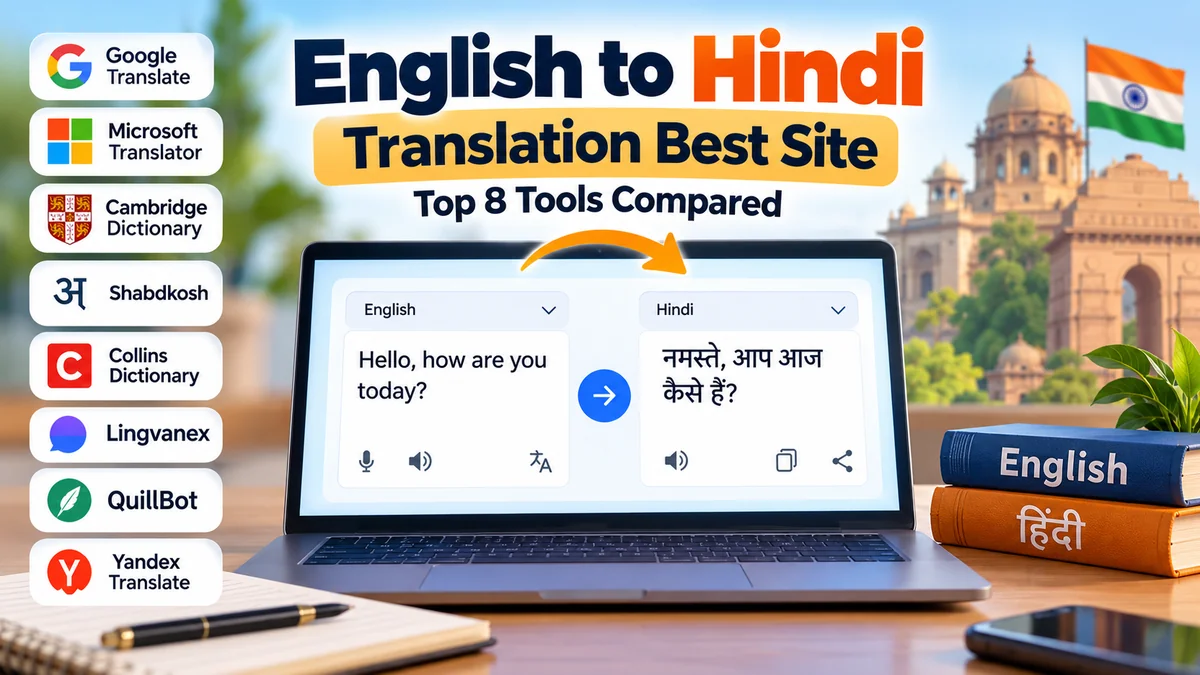
Translating English into Hindi is easy until a sentence contains an idiom, a technical term, or a phrase that sounds unnatural when translated word for word. The right translation website can make a significant difference in accuracy, readability, and meaning.
If you’re searching for the english to hindi translation best site, Google Translate is a strong all-purpose starting point, while Microsoft Translator, Cambridge Dictionary, and other language tools offer useful alternatives. The best choice depends on whether you’re translating everyday conversations, academic material, documents, or professional content.
English-to-Hindi translation websites convert English words, sentences, and documents into Hindi using machine translation, dictionaries, and language-processing technology. Google Translate and Microsoft Translator are convenient for everyday use, while bilingual dictionaries help clarify individual words. For important documents, machine-generated Hindi should always be reviewed for meaning, grammar, and context.
1. Best English to Hindi Translation Websites Compared
Not every translator works the same way. Some are designed for complete sentences, while others focus on word definitions, pronunciation, or multilingual communication.
The following comparison highlights eight useful websites and tools.
| Translation website | Best for | Main strengths |
|---|---|---|
| Google Translate | Everyday translation | Text, speech, images, documents |
| Microsoft Translator | Conversations and general text | Multilingual translation and speech features |
| Cambridge Dictionary | Vocabulary learning | Definitions, examples, pronunciation |
| Shabdkosh | English-Hindi vocabulary | Bilingual meanings and word references |
| Collins Dictionary | Word meanings | Dictionary explanations and examples |
| Lingvanex | General translation | Text and multilingual translation tools |
| QuillBot Translator | Written text | Simple browser-based translation |
| Yandex Translate | Multilingual translation | Text translation and language detection |
Features, supported file types, usage limits, and availability can change. Some tools also offer different capabilities on desktop and mobile devices.
Google Translate

Google Translate
Google Translate is one of the most accessible options for translating English into Hindi. It supports Hindi in Devanagari script and can handle short phrases, paragraphs, and various document formats.
Website: translate.google.com
Google Translate is particularly useful for students, travelers, and people who need quick translations without installing specialized software.
Its features include automatic language detection, text-to-speech pronunciation, voice input on supported devices, and camera-based translation through its mobile application.
For example, consider the English sentence:
I am looking forward to meeting you.
A natural Hindi translation is:
मुझे आपसे मिलने का इंतज़ार है।
This captures the intended meaning better than a rigid word-by-word conversion.
However, Google Translate can struggle with regional expressions, sarcasm, cultural references, and sentences containing multiple possible meanings.
Microsoft Translator

Microsoft Translator
Microsoft Translator is another practical option for English-to-Hindi translation. It is especially useful for multilingual communication, speech translation, and everyday conversations.
Website: bing.com/translator
Microsoft’s translation technology also supports various business and developer applications through Azure AI Translator.
Its strengths include a straightforward interface, support for numerous languages, and integration with selected Microsoft products.
The output may differ from Google Translate because translation systems can interpret sentence structure and context differently.
Cambridge Dictionary

Cambridge Dictionary
Cambridge Dictionary is especially valuable when you want to understand an English word before choosing its Hindi equivalent.
Website: dictionary.cambridge.org
Unlike a general sentence translator, a dictionary provides meanings, grammatical information, pronunciation, and examples of word usage.
Consider the English word light. Depending on context, it may refer to illumination, something that is not heavy, or something mild.
A bilingual dictionary helps identify the appropriate meaning instead of assuming that one Hindi word fits every situation.
Cambridge is therefore better suited to vocabulary research than translating long documents.
Shabdkosh
Shabdkosh is a bilingual dictionary resource focused on Indian languages, including Hindi.
Website: shabdkosh.com
It is useful for checking English-Hindi word meanings, alternative translations, pronunciation, and vocabulary.
For students and language learners, Shabdkosh can provide additional context when a machine translator produces a Hindi word that seems unfamiliar.
Its dictionary-oriented approach makes it particularly helpful for studying individual terms.
Collins Dictionary
Collins Dictionary provides language reference material, including English-Hindi dictionary resources.
Website: collinsdictionary.com
It is useful for checking meanings and comparing possible word choices.
A dictionary can also help distinguish between formal and everyday expressions, although the exact information available varies by entry.
Lingvanex
Lingvanex provides multilingual translation software and online translation services.
Website: lingvanex.com
It can be considered an alternative for translating general text and comparing machine-generated results.
Its usefulness depends on the text’s complexity, the selected translation interface, and the features available in the current service.
QuillBot Translator
QuillBot Translator offers a straightforward translation interface for written text.
Website: quillbot.com/translate
It may appeal to users who primarily work with paragraphs, notes, and other written material.
As with other machine translators, output should be checked carefully when a sentence contains technical vocabulary or context-dependent language.
Yandex Translate
Yandex Translate supports multilingual text translation, including English and Hindi.
Website: translate.yandex.com
It provides another option for comparing alternative wording.
A second translation system can be useful when the first result sounds awkward, but agreement between two systems does not automatically guarantee correctness.
2. How to Choose the english to hindi translation best site
The best translation website depends on what you’re trying to accomplish.
A student translating a short paragraph has different needs from someone translating an employment contract or learning the pronunciation of Hindi vocabulary.
Translation accuracy and context
Accuracy should be the first consideration.
A translation can be grammatically correct but still fail to communicate the intended meaning.
For example:
He broke the ice.
A literal translation could suggest that someone physically broke ice. In conversation, however, the phrase often means making people feel more comfortable or starting an interaction.
A good translation system should recognize the intended meaning when enough context is provided.
Support for Devanagari script
Hindi is commonly written in the Devanagari writing system.
A useful English-to-Hindi translator should display Hindi characters correctly, including vowel marks and conjunct consonants.
For example:
English: Knowledge is power.
Hindi: ज्ञान ही शक्ति है।
Romanized Hindi: Gyaan hi shakti hai.
Romanization can help beginners with pronunciation, but it is not a substitute for learning Devanagari.
Translation speed and usability
Most online translation websites return short translations quickly.
However, convenience also depends on interface design, supported devices, input limits, and how easily translated text can be copied.
For occasional use, a simple browser-based translator is often sufficient.
Privacy and sensitive information
Privacy is frequently overlooked when choosing translation software.
Avoid pasting confidential contracts, passwords, financial records, private medical information, or unpublished business documents into public translation services without reviewing their data-handling policies.
For sensitive material, an approved enterprise solution or a qualified translator working under confidentiality requirements may be more appropriate.
3. How to Translate English to Hindi Online for Free
You don’t need advanced technical knowledge to translate English text into Hindi.
Most online translators follow a similar process.
Step-by-step translation using Google Translate
- Open Google Translate in your browser.
- Select English as the source language.
- Select Hindi as the target language.
- Enter or paste your English text.
- Read the automatically generated Hindi translation.
- Use the speaker icon, when available, to hear the pronunciation.
- Copy the result and review it before using it.
For example:
| English sentence | Hindi translation |
|---|---|
| How are you? | आप कैसे हैं? |
| What is your name? | आपका नाम क्या है? |
| I am learning Hindi. | मैं हिंदी सीख रहा हूँ। |
| Where is the railway station? | रेलवे स्टेशन कहाँ है? |
| Thank you for your help. | आपकी मदद के लिए धन्यवाद। |
| Please speak slowly. | कृपया धीरे बोलिए। |
The sentence I am learning Hindi may require a different verb ending depending on the speaker. A female speaker would commonly say मैं हिंदी सीख रही हूँ।
This illustrates why context matters even when translating simple sentences.
How to translate English paragraphs into Hindi
For longer paragraphs, avoid translating every word separately.
Instead, paste the complete paragraph into a translation tool. This gives the system more context for interpreting sentence relationships.
After translation, review whether the Hindi version preserves the original meaning and uses a consistent level of formality.
Long paragraphs containing several unrelated ideas may benefit from being divided into shorter sections.
4. Best Sites for English to Hindi Document and PDF Translation
Translating a document is more complicated than translating a sentence because formatting, headings, tables, and terminology must also be considered.
Google Translate provides a browser-based document translation feature that supports DOCX, PDF, PPTX, and XLSX files.
According to Google’s documentation, supported uploads can be up to 10 MB, with PDFs limited to 300 pages. Its document translation feature is not available on smaller screens or mobile devices, and text embedded in scanned PDF images is not translated through that feature.
Google Translate Help
+1
Translating a PDF from English to Hindi
Open Google Translate on a desktop browser and choose the Documents tab.
Upload your supported file, set the source language to English and the target language to Hindi, and start the translation.
Once the process finishes, download the translated document and inspect the result.
Pay particular attention to tables, page layouts, headings, dates, numerical values, and technical terminology.
Translating scanned documents
Scanned documents often contain text stored as images rather than selectable characters.
Optical character recognition (OCR) can extract text from images so that a translation system can process it.
A practical workflow is to extract the text using OCR, correct recognition mistakes, translate the extracted text, and review the final Hindi version.
OCR errors can significantly affect translation accuracy, especially when the source contains unclear characters or unusual formatting.
Academic and official documents
Machine translation can help readers understand textbooks, research material, and general academic notes.
However, it should not be treated as a certified translation service.
Legal agreements, immigration records, medical reports, official certificates, and other high-stakes documents may require professional translation and formal certification.
5. Why English to Hindi Translation Is Sometimes Inaccurate
English and Hindi differ in grammar, sentence structure, vocabulary, and cultural expression.
These differences explain why a machine translation can sound unnatural even when most individual words are correct.
Sentence structure
English commonly follows a subject-verb-object structure.
Hindi generally follows a subject-object-verb structure.
Consider:
English: She reads a book.
Hindi: वह एक किताब पढ़ती है।
The Hindi verb appears near the end of the sentence.
A translation system must rearrange sentence elements rather than simply replace English words with Hindi equivalents.
Gender and grammatical agreement
Hindi uses grammatical gender, which affects adjectives, verbs, and other sentence elements.
For example:
Masculine: वह खुश है।
Feminine: वह खुश है।
In this example, the expression is identical for both genders.
But consider:
Masculine: वह जा रहा है।
Feminine: वह जा रही है।
Both can mean He or she is going, but the verb construction changes according to gender.
If the English sentence doesn’t specify gender, the translation system may need additional context.
Formal and informal language
Hindi distinguishes between different levels of politeness.
For example, English uses you in many situations, while Hindi offers different forms, including तू, तुम, and आप.
The appropriate choice depends on familiarity, social relationships, and context.
For most professional or respectful communication, आप is generally a safer choice.
Idioms and cultural expressions
Idiomatic expressions rarely translate perfectly word for word.
Consider:
English: It’s raining cats and dogs.
Natural Hindi: बहुत तेज़ बारिश हो रही है।
A literal translation involving cats and dogs would not communicate the intended meaning.
Similarly, humor, metaphors, regional slang, and culturally specific references can require human interpretation.
Technical terminology
Scientific, legal, financial, and medical documents often contain specialized terminology.
Some technical English terms are commonly borrowed into Hindi rather than translated literally.
For example, computer is commonly written as कंप्यूटर.
In other situations, a formal Hindi equivalent may be appropriate.
The correct choice depends on the intended audience and the document’s purpose.
6. How AI Improves English to Hindi Translation
Modern translation systems commonly use neural machine translation (NMT), which processes language patterns and generates translations based on learned relationships between words and sentences.
Natural language processing (NLP), machine learning, and transformer-based language models have improved the ability of software to handle contextual information.
However, translation quality still varies between tools and types of content.
Neural machine translation
Neural machine translation uses machine-learning models trained on multilingual data.
Rather than translating each word independently, these systems analyze relationships between words and their surrounding context.
This can improve fluency and sentence-level meaning.
Shabdkosh, for example, describes its translation service as using neural machine translation and supports text, document, and image translation.
Shabdkosh
AI chatbots for contextual translation
AI assistants such as ChatGPT can also help explain alternative Hindi translations.
Instead of requesting only a translation, users can specify the intended audience, writing style, or level of formality.
For example, a user might request:
Translate this English paragraph into natural, formal Hindi for a university audience. Preserve all names, numbers, and technical terms, and explain any ambiguous expressions.
This additional context can help produce more appropriate wording.
Nevertheless, AI-generated translations may omit details, add unintended interpretations, or mistranslate specialized terms. Important output requires careful verification.
Can AI translation replace human translators?
For everyday communication, machine translation is often sufficient.
For literature, legal documents, medical instructions, marketing campaigns, and other sensitive material, professional translators remain valuable.
Human translators can account for cultural context, intended meaning, audience expectations, and terminology that automated systems may overlook.
7. Practical Tips for Getting Accurate Hindi Translations
Finding the english to hindi translation best site is only part of the process. How you prepare and review the source text also affects the final result.
Write clear English sentences
Ambiguous English produces ambiguous translations.
Consider:
I saw her duck.
This sentence could refer to seeing a bird belonging to someone or watching someone lower their head.
A clearer sentence eliminates uncertainty:
I saw the duck that belonged to her.
The more specific the source sentence, the easier it is to translate accurately.
Include sufficient context
A single word may have several meanings.
For example, bank can refer to a financial institution or the side of a river.
Providing the complete sentence helps the translation system identify the intended meaning.
Compare translations from different tools
When a result seems unusual, compare it with another translation service.
Google Translate, Microsoft Translator, and Shabdkosh can produce different wording.
Use these differences to identify phrases that need closer examination.
Do not assume the most frequently generated translation is necessarily correct.
Use a bilingual dictionary
For unfamiliar words, consult Cambridge Dictionary, Collins Dictionary, or Shabdkosh.
Dictionary entries can help distinguish meanings, grammatical uses, and related expressions.
This is particularly useful when translating academic writing or specialized vocabulary.
Check pronunciation separately
Written translation and pronunciation are different tasks.
Hindi pronunciation involves sounds and distinctions that may not be obvious to English speakers.
Audio playback and transliteration can assist learners, but neither guarantees perfect pronunciation.
Listening to fluent speakers is useful for understanding natural rhythm and stress.
Review the final Hindi text
Before using a translation, check that names, dates, measurements, numbers, and instructions have been preserved.
Also examine verb agreement, respectful forms of address, punctuation, and sentence flow.
For important material, ask a proficient Hindi speaker to review the final text.
8. Which English to Hindi Translation Site Is Best for Different Needs?
There is no single website that is ideal for every translation task.
The following recommendations provide a practical starting point.
| Your requirement | Suggested tool |
|---|---|
| Quick English-to-Hindi sentences | Google Translate |
| General conversations | Microsoft Translator |
| English-Hindi word meanings | Shabdkosh |
| English vocabulary and definitions | Cambridge Dictionary |
| Additional dictionary references | Collins Dictionary |
| Comparing alternative translations | Lingvanex or Yandex Translate |
| Simple written text translation | QuillBot Translator |
| Contextual explanations and rewriting | ChatGPT |
| PDF and Office document translation | Google Translate |
| Certified or legally important translation | Qualified professional translator |
These recommendations reflect the tools’ intended uses and available features, rather than the results of a controlled head-to-head accuracy test.
What is the best free English to Hindi translator?
Google Translate is a practical first choice for free, general-purpose English-to-Hindi translation because it offers multiple translation methods in one interface.
Shabdkosh is particularly useful for users who want a service focused on Indian-language vocabulary and translation.
Which website is best for translating English to Hindi accurately?
Accuracy depends on the material.
For simple sentences, several established translation services can provide useful results. For idioms, technical documents, and complex writing, the output should be checked against the original meaning.
No online translator guarantees perfect accuracy for every sentence.
Can I translate English into Hindi without downloading an app?
Yes. Google Translate, Microsoft Translator, Shabdkosh, and several other services offer browser-based interfaces.
An internet connection is generally required for these online services.
Some mobile translation applications also provide downloadable language resources for offline use, subject to language and feature availability.
Can I translate English into Hindi using voice?
Yes. Supported mobile translation applications can recognize spoken input and produce translated text or speech.
Google Translate and Microsoft Translator offer speech-related features, although availability can vary by device, language, and application version.
For the best results, speak clearly, reduce background noise, and review names or technical words carefully.
Is English-to-Hindi translation always free?
Many websites provide free basic translation features.
However, document processing, API access, higher usage limits, and specialized business functionality may involve restrictions or paid services.
Review the current terms of the service before processing large quantities of text.
Conclusion
Choosing the english to hindi translation best site depends on whether you need quick sentences, vocabulary explanations, speech translation, or complete document processing.
Google Translate is a convenient general-purpose option, Microsoft Translator is useful for multilingual communication, and Shabdkosh and Cambridge Dictionary provide valuable support for understanding individual words.
For the most reliable results, use clear source text, provide context, compare uncertain translations, and review the final Hindi carefully. Machine translation is a useful language tool, but accurate communication still depends on preserving meaning rather than merely replacing words.
