

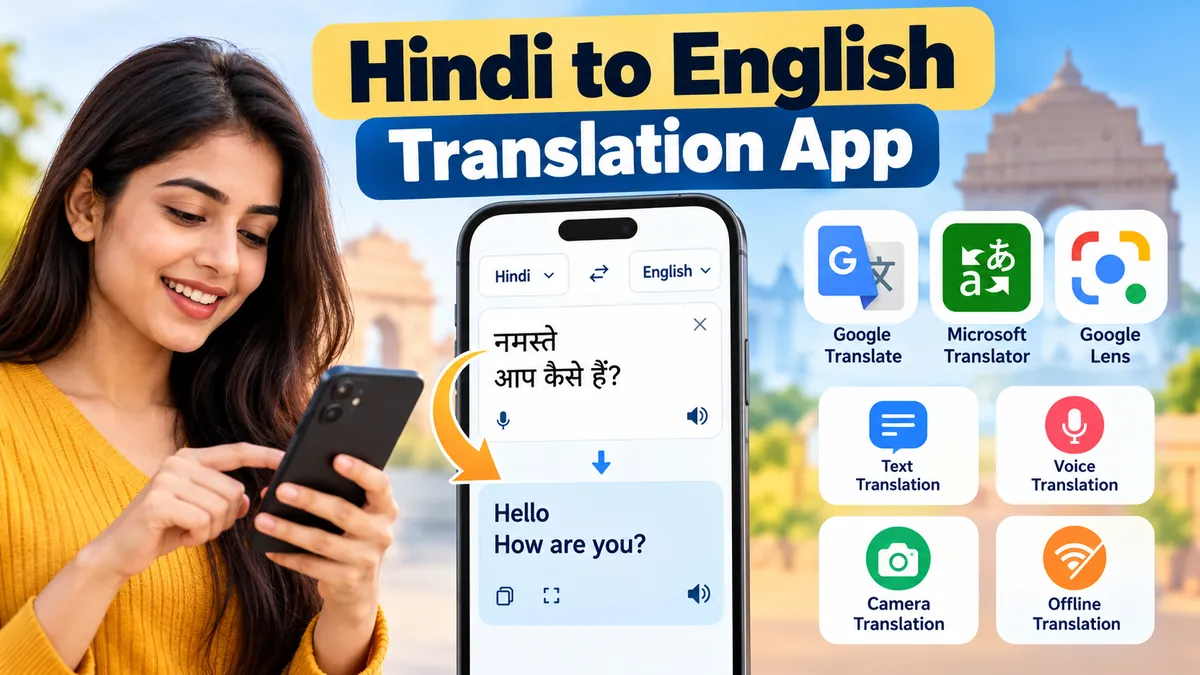
Understanding Hindi is one thing. Translating it into natural, accurate English is another, especially when conversations include regional expressions, unfamiliar vocabulary, or complicated sentences.
A hindi to english translation app helps convert written Hindi, spoken conversations, and text captured through a camera into English. Popular options include Google Translate, Microsoft Translator, and other language-learning or translation tools. The right choice depends on whether you need everyday translations, offline access, voice interpretation, or help understanding Hindi grammar.
These applications are useful for students, travelers, professionals, language learners, and anyone communicating across Hindi and English.
What Is a hindi to english translation app?
A Hindi-to-English translation app is a mobile or web-based tool that converts Hindi language content into English using machine translation technology.
Modern translation systems typically rely on artificial intelligence, natural language processing (NLP), and neural machine translation (NMT) to interpret sentences rather than simply replacing individual words.
For example:
| Hindi text | English translation |
|---|---|
| नमस्ते | Hello |
| आप कैसे हैं? | How are you? |
| मेरा नाम राहुल है। | My name is Rahul. |
| मुझे पानी चाहिए। | I need water. |
| यह कितने का है? | How much does this cost? |
| मुझे अंग्रेज़ी सीखनी है। | I want to learn English. |
Unlike traditional bilingual dictionaries, translation applications can process complete sentences and, in many cases, provide pronunciation assistance and spoken translations.
How does Hindi-to-English translation work?
Most modern translation applications use several technologies together.
- Language detection: The system identifies Hindi as the source language, sometimes automatically.
- Text processing: The application analyzes words, grammar, and sentence structure.
- Machine translation: An AI model predicts an appropriate English translation.
- Output generation: The translated sentence appears on the screen.
- Speech synthesis: Supported applications can read the English translation aloud.
For voice translation, automatic speech recognition first converts spoken Hindi into text. The translation engine then processes that text.
These technologies have improved translation quality, but idioms, sarcasm, dialects, and context-dependent expressions can still produce mistakes.
Best hindi to english translation app Options
Several translation applications support Hindi and English. They differ in their interface, supported input methods, offline capabilities, and language-learning features.
1. Google Translate
Google Translate is among the most widely used translation tools for Hindi and English.

It supports multiple translation methods, including typing, speech input, camera-based translation, and document translation through supported interfaces.
Key capabilities include:
- Hindi text to English translation
- English to Hindi translation
- Voice input and spoken output
- Camera translation for printed text
- Conversation translation
- Offline translation with downloaded language resources
- Automatic language detection in supported situations
Google Translate is particularly convenient for everyday sentences, travel communication, and quickly understanding unfamiliar text.
Its limitations become more noticeable with poetry, technical terminology, regional slang, and expressions that require cultural interpretation.
2. Microsoft Translator
Microsoft Translator provides multilingual translation features and supports Hindi and English.

Depending on the platform and available features, users can translate typed text, spoken language, and conversations.
It is useful for workplace communication, travel, and multilingual discussions.
Its strengths include a straightforward interface and integration with Microsoft’s broader translation technology. However, features can vary between mobile applications, web services, and Microsoft products.
3. Google Lens
Google Lens is especially useful when Hindi text appears in photographs, signs, books, or printed documents.

Rather than typing every word, users can point their phone camera at Hindi text or select an existing image.
The system identifies text through optical character recognition (OCR) and provides translation through Google’s language technology.
This approach is helpful for understanding menus, public signs, notices, handwritten notes when legible, and printed study materials.
Image clarity, handwriting quality, lighting, and text layout can affect recognition accuracy.
4. Other translation and language-learning tools
Apps such as Hi Translate may offer convenient translation workflows, including text translation and features designed for messaging or multilingual communication.
Meanwhile, Duolingo is primarily a language-learning platform rather than a direct replacement for a Hindi-to-English translator. Its supported courses and language pairs should be checked separately.
The distinction matters: a translation app provides immediate translated output, while a learning app is designed to build language skills over time.
Hindi-to-English translation app comparison
| Tool | Main strength | Suitable use |
|---|---|---|
| Google Translate | Multiple translation methods | Everyday text, voice, and travel |
| Microsoft Translator | Text and conversation tools | Communication and workplace use |
| Google Lens | Camera and image text recognition | Signs, documents, printed Hindi |
| Hi Translate | Mobile translation workflows | Short messages and casual communication |
| Duolingo | Structured language practice | Building language skills, not instant translation |
Feature availability may depend on the device, operating system, region, and application version.
How to Use a hindi to english translation app
Most translation apps follow a similar process. Google Translate provides a useful example.
Translate Hindi text into English
- Open Google Translate on your Android phone, iPhone, or browser.
- Select Hindi as the source language.
- Select English as the target language.
- Type or paste the Hindi sentence.
- Read the English translation.
- Use the speaker button if spoken output is available.
- Copy the translated text when needed.
For example, entering:
Hindi: मुझे कल दिल्ली जाना है।
Produces a translation such as:
English: I have to go to Delhi tomorrow.
Some sentences have multiple acceptable English translations. A translation engine may select one based on its training and the surrounding context.
Translate Hindi voice into English
Voice translation is useful when speaking is faster than typing.
Open an application that supports Hindi speech recognition, choose Hindi as the input language and English as the output language, and activate the microphone.
Speak clearly and allow the app to recognize the sentence.
For example:
Spoken Hindi: मुझे रेलवे स्टेशन जाना है।
English output: I need to go to the railway station.
A microphone-enabled app can be useful during travel, customer interactions, or conversations with people who speak different languages.
However, background noise, overlapping speakers, accents, and poor internet connectivity may reduce accuracy.
Translate Hindi text using a camera
Camera translation eliminates the need to type text manually.
Open the camera or image translation feature, select Hindi and English, and point the camera at the text.
The app attempts to recognize the Hindi characters and display their English meaning.
This is particularly useful for Devanagari text on signs, packaging, notices, and printed pages.
For better results, keep the camera steady, ensure the text is well lit, and avoid reflections or blurred photographs.
How to Translate Hindi to English Without Internet
An offline Hindi-to-English translator is useful when traveling, studying in areas with weak connectivity, or trying to avoid mobile data usage.
Google Translate allows users to download supported languages for offline translation. According to Google’s documentation, the download option appears beside languages available for offline use.
Google Translate Help
Steps to enable offline translation
- Connect your phone to Wi-Fi.
- Open Google Translate.
- Select Hindi in the language menu.
- Tap the download icon if available.
- Download the English language resources if required.
- Disconnect from the internet and test a simple translation.
Offline translation works for supported features, but some advanced capabilities may require an internet connection.
Microsoft Translator also lists Hindi offline support on Android. Its official language table distinguishes offline availability from speech, image, and other translation functions.
Microsoft Translator
Is offline translation as accurate as online translation?
Not necessarily. Offline translation relies on language resources stored on the device, while online systems may access more recently updated models and services.
For basic phrases such as directions, greetings, and shopping questions, offline translation can be sufficient.
For complex writing, unusual vocabulary, or specialized terminology, reviewing an online translation may produce better results.
Important Features to Look for in a Hindi-to-English Translator
A useful translation application should do more than convert individual words.
Translation accuracy and context
Hindi and English have different grammatical structures.
Hindi generally follows a subject-object-verb word order, while English commonly uses subject-verb-object.
For example:
Hindi: राम किताब पढ़ रहा है।
English: Ram is reading a book.
A reliable translation system needs to recognize grammatical relationships and produce a natural English sentence.
It should also handle tense, gender, plural forms, and context-dependent meanings.
Voice translation and pronunciation
Speech translation is valuable when users cannot type Hindi characters or need immediate help during a conversation.
A good voice translator should recognize clearly spoken Hindi, display the resulting English text, and offer audio playback where supported.
Pronunciation features also help learners understand how English words sound.
Camera translation and OCR
Optical character recognition allows applications to extract text from photographs.
This is useful for translating Hindi signs, menus, textbook passages, and printed documents.
However, recognizing Devanagari characters correctly is a separate challenge from translating them. An OCR mistake can change the meaning of an entire sentence.
Romanized Hindi and Hinglish support
Many people type Hindi using English letters rather than Devanagari script.
For example:
- Romanized Hindi: Mujhe ghar jana hai.
- Devanagari Hindi: मुझे घर जाना है।
- English: I need to go home.
This writing style is often called Romanized Hindi. When English and Hindi vocabulary are mixed, it is commonly called Hinglish.
Not every translation engine interprets Romanized Hindi reliably. If a translation appears incorrect, converting the sentence into standard Devanagari Hindi may help.
Privacy and data handling
Translation applications may process sensitive information, including personal messages, photographs, and spoken conversations.
Before using an app for confidential material, review its privacy policy and permissions.
Avoid entering passwords, banking credentials, confidential business documents, or private medical information into translation services unless the service has appropriate privacy protections.
Common Hindi-to-English Translation Problems
Even advanced translation tools can misunderstand certain expressions.
Idioms and cultural expressions
Consider the Hindi phrase:
नाक कटना
A literal translation would refer to a nose being cut, but its idiomatic meaning is to suffer disgrace or lose respect.
A translator that processes only individual words may miss the intended meaning.
For idiomatic language, translating the complete sentence with additional context generally works better.
Words with multiple meanings
The Hindi word कल can mean yesterday or tomorrow, depending on the sentence.
Compare:
| Hindi sentence | English meaning |
|---|---|
| मैं कल गया था। | I went yesterday. |
| मैं कल जाऊँगा। | I will go tomorrow. |
The verb tense helps determine the intended meaning.
Short phrases without surrounding context can be ambiguous even for advanced AI translation systems.
Formal and informal speech
Hindi distinguishes levels of politeness through pronouns and verb forms.
For example, आप, तुम, and तू can all refer to the person being addressed, but they carry different social meanings.
English commonly translates them as “you,” which can remove important information about politeness and familiarity.
For formal communication, translated sentences should be checked for an appropriate tone.
Regional dialects and mixed-language speech
Hindi speakers may use vocabulary influenced by Urdu, Punjabi, Bhojpuri, or other regional languages.
Some sentences also combine Hindi and English.
For example:
Mujhe meeting reschedule karni hai.
A natural translation is:
I need to reschedule the meeting.
Mixed-language input can be harder to interpret when the translator expects a single language.
How to Improve Hindi-to-English Translation Accuracy
Translation quality depends partly on how the source sentence is written or spoken.
Use complete sentences
A complete sentence provides more context than an isolated word.
Instead of translating an ambiguous word separately, include it within the sentence where it appears.
This helps the application identify the intended meaning.
Check names and numbers
Machine translation systems sometimes alter names, dates, addresses, or numerical expressions.
Always verify important details, particularly in official documents, academic records, financial information, and travel arrangements.
Compare translations when meaning is unclear
If an English translation sounds unnatural, compare the output from two translation engines.
Different systems may interpret the same Hindi sentence differently.
This does not guarantee accuracy, but it can reveal ambiguity or missing context.
Use reverse translation carefully
Reverse translation involves translating Hindi into English and then translating the English result back into Hindi.
Large differences between the original and reverse-translated sentences may indicate a problem.
However, an identical reverse translation does not prove that the English translation is correct.
Review grammar and naturalness
A grammatically correct translation is not always the most natural one.
For example:
Hindi: मुझे बहुत भूख लगी है।
A literal translation might be awkward, while the natural English expression is:
I am very hungry.
The best translation preserves the intended meaning rather than copying the original sentence structure.
Using Translation Apps for Study, Travel, and Work
For students and English learners
Students can use Hindi-to-English translation tools to understand unfamiliar vocabulary, check sentence meanings, and practice pronunciation.
A useful learning technique is to translate a Hindi sentence, read the English result, and identify the grammatical differences.
For example:
Hindi: वह रोज़ स्कूल जाती है।
English: She goes to school every day.
The example demonstrates present simple tense and the use of “goes” with a third-person singular subject.
Students should avoid relying entirely on translation tools for homework because automatic translations may hide grammatical mistakes rather than explain them.
For travelers
Travelers often need short, practical translations involving transportation, food, accommodation, and directions.
| Hindi phrase | English meaning |
|---|---|
| स्टेशन कहाँ है? | Where is the station? |
| मुझे मदद चाहिए। | I need help. |
| क्या आप अंग्रेज़ी बोलते हैं? | Do you speak English? |
| अस्पताल कहाँ है? | Where is the hospital? |
| कृपया धीरे बोलिए। | Please speak slowly. |
Saving important phrases before traveling can reduce dependence on internet connectivity.
For workplace communication
Translation apps can help users understand routine Hindi messages, meeting notes, and informal correspondence.
However, automated translation should not be treated as a substitute for professional review when dealing with legal agreements, contracts, regulatory documents, or other high-stakes material.
Technical terminology and context can significantly affect the interpretation of a sentence.
Free vs. Paid Hindi-to-English Translation Apps
Many translation applications offer core functionality without requiring a paid subscription.
Google Translate, for example, provides text, speech, camera, and other translation capabilities through its consumer application.
Apps on Google Play
Paid translation services may offer specialized document processing, larger usage limits, organizational controls, or advanced workflow features.
| Feature | Typical free translator | Specialized paid service |
|---|---|---|
| Basic text translation | Usually available | Available |
| Voice translation | Often available | Depends on service |
| Camera translation | Available in some apps | Depends on service |
| Offline translation | Available for supported languages | Varies |
| Document translation | May be limited | Often more extensive |
| Business administration | Usually limited | May include team controls |
| Human translation review | Generally not included | Sometimes offered separately |
For ordinary Hindi-to-English communication, a free translator is usually sufficient.
Specialized services become more relevant when translation involves large document collections, business systems, or strict terminology requirements.
Can AI Translation Apps Replace Human Translators?
AI translation systems are useful for understanding everyday messages and producing quick drafts, but they cannot consistently replace human judgment.
Human translators consider cultural context, audience expectations, tone, and specialized terminology.
These distinctions matter in legal, medical, literary, and diplomatic communication.
A practical approach is to use AI translation for initial understanding and seek qualified human review when accuracy has serious consequences.
Which hindi to english translation app Should You Use?
For general-purpose translation, Google Translate is a practical starting point because it combines text translation with speech, camera, and offline capabilities.
Microsoft Translator is another established option, particularly for supported conversation and multilingual communication workflows. Microsoft officially includes Hindi among its supported translation languages.
Microsoft Translator
+1
Google Lens is especially useful when the Hindi text appears in an image rather than a typed message.
The best choice depends on the task:
- For everyday written sentences, use a general text translator.
- For spoken conversations, choose an application with Hindi speech recognition.
- For signs and printed documents, use camera-based translation.
- For unreliable internet connections, download supported offline language resources.
- For learning English, combine translation with grammar study and pronunciation practice.
Conclusion
A hindi to english translation app makes it easier to understand Hindi sentences, translate spoken conversations, and read text written in Devanagari.
Google Translate, Microsoft Translator, and Google Lens offer different ways to work with Hindi and English, from basic text input to voice and camera translation.
For the most reliable results, use complete sentences, provide context, check important details, and remember that machine translation can misunderstand idioms or culturally specific expressions.
Starting with simple Hindi sentences and reviewing their English translations is an effective way to become familiar with both the technology and the language.
