

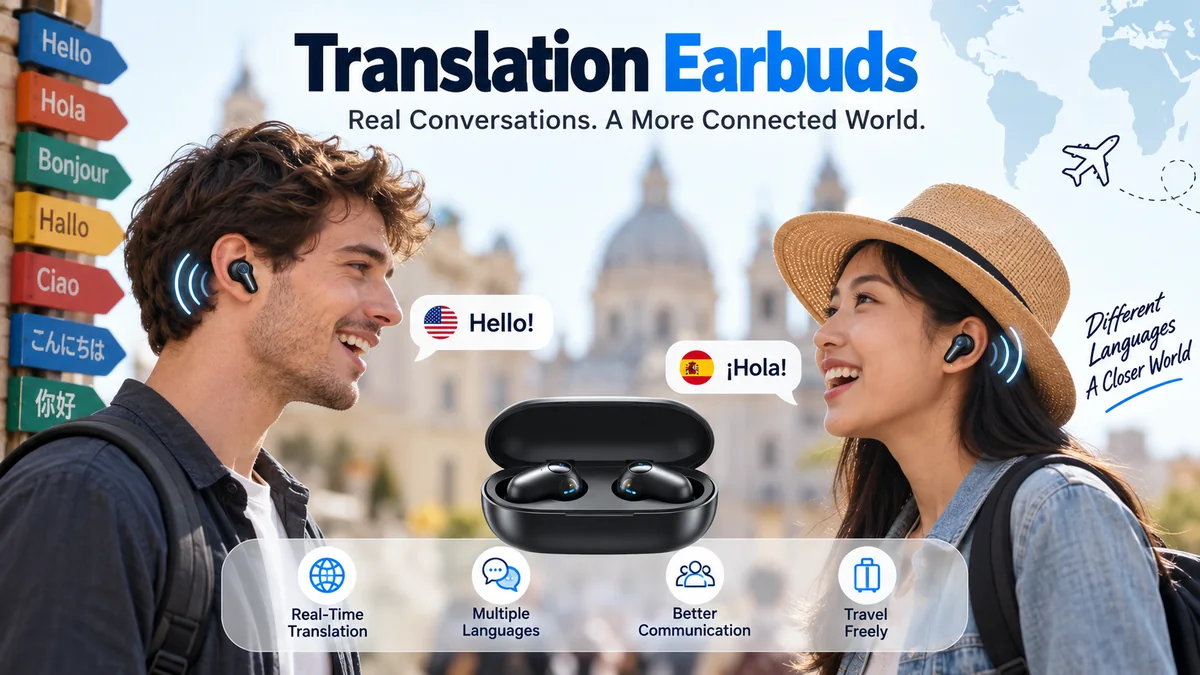
Talking to someone who speaks another language used to mean reaching for a phrasebook, typing into a phone, or waiting while a translation app processed each sentence. Translation earbuds make that interaction more natural by putting spoken translations directly into your ears.
The technology has improved considerably. Dedicated interpreter earbuds now compete with translation features built into mainstream products such as Apple AirPods, Google Pixel Buds, and Samsung Galaxy Buds. Yet the experience is not the same across every device, language, or environment.
Translation earbuds are wireless earpieces that capture spoken language, convert speech into text, translate that text with an AI-powered translation engine, and play the translated speech to the listener. Depending on the system, they can support one-way listening, two-way conversations, downloaded offline languages, transcripts, calls, and real-time interpretation.
Understanding what happens between hearing the original sentence and receiving the translation makes it much easier to judge what these devices can—and cannot—reliably do.
What Are Translation Earbuds?
Translation earbuds are Bluetooth or dedicated wireless earbuds designed to help people understand spoken languages in near real time.
At first glance, they may look like ordinary wireless headphones. The difference is the software ecosystem behind them. Their microphones capture speech, while automatic speech recognition, machine translation, and text-to-speech technology process what was said and deliver the translated version.
Some products are specifically designed as interpreter devices. Timekettle, for example, offers dedicated translator earbuds where conversation and listening modes are central features rather than extras. Other manufacturers add translation to general-purpose earbuds.
Apple’s supported AirPods can now use Live Translation with compatible Apple Intelligence-enabled iPhones. Google Pixel Buds work with Google Translate, while compatible Samsung Galaxy Buds use Galaxy AI’s Interpreter feature.
That distinction matters. The earbuds themselves are often only one part of the translation system.
How Do Translation Earbuds Work?
A spoken translation may seem almost instantaneous, but several technical processes occur between the original speech and the audio reaching your ear.
1. Microphones capture the speaker
The process starts with voice capture.
Built-in microphones listen to the person speaking. Beamforming and noise-reduction technologies may help isolate speech from traffic, music, crowds, wind, and nearby conversations.
Microphone performance has a direct effect on translation quality. If the system incorrectly hears the original sentence, even an excellent translation model starts with the wrong information.
2. Automatic speech recognition converts audio into text
The captured audio passes through automatic speech recognition (ASR).
ASR identifies spoken words and converts them into machine-readable text. Modern systems can recognize different accents and speech patterns, although performance varies considerably between languages.
For example:
“Where does this train stop?”
first becomes a text transcription before the translation engine deals with its meaning.
3. Machine translation interprets the sentence
Next comes machine translation (MT).
Modern systems generally rely on neural or AI-based language models rather than simply replacing individual words with dictionary equivalents.
Context is crucial here.
The same word can have completely different meanings depending on the sentence around it. A capable translation engine considers grammar, syntax, surrounding words, and sometimes earlier conversation before producing an equivalent sentence in the target language.
4. Text-to-speech generates translated audio
Finally, text-to-speech (TTS) technology turns the translated sentence back into spoken audio.
The listener hears this synthetic voice through the earbuds. Many systems simultaneously display a transcript on the connected phone.
The basic pipeline therefore looks like this:
Speech → ASR → Text → Machine Translation → Translated Text → TTS → Earbud Audio
This process may occur primarily in the cloud, on a smartphone, locally through downloaded language models, or through a combination of these methods.
Do Translation Earbuds Actually Translate in Real Time?
Yes, but “real time” should not be interpreted as literally simultaneous in every situation.
Translation requires processing time. The device must hear enough of a sentence to understand its context before producing a useful translation. Consequently, there is normally some latency between speech and translated audio.
A small delay feels surprisingly natural during a structured conversation. Longer delays become noticeable because both people have to consciously wait before continuing.
Several factors affect latency:
- Internet connection quality
- Translation server response time
- Length and complexity of the sentence
- Source and target languages
- Smartphone processing performance
- Whether translation happens locally or in the cloud
- Background noise
- Conversation mode
This is why a product can feel almost immediate during a quiet hotel conversation yet noticeably slower on a busy railway platform.
Simultaneous translation vs consecutive translation
The terminology can also be misleading.
True simultaneous interpretation means the translation is delivered while the speaker continues talking. Human conference interpreters routinely work this way.
Consumer translation earbuds frequently operate closer to rapid consecutive interpretation: the system listens to a phrase or sentence, processes it, and then delivers the translation.
Newer systems increasingly blur that distinction by processing speech in smaller chunks, but expecting perfectly simultaneous human-interpreter performance from every pair of earbuds remains unrealistic.
Types of Translation Earbuds
Not every device marketed around translation works the same way. There are three broad categories.
| Type | How translation works | Typical strength | Main limitation |
|---|---|---|---|
| Dedicated translator earbuds | Hardware and software designed around interpretation | Natural two-person conversations | Often requires proprietary app/ecosystem |
| Mainstream smart earbuds | Translation provided through phone AI or translation app | Useful if you already own compatible devices | Translation depends heavily on phone |
| Generic Bluetooth earbuds + app | Standard earbuds play output from a third-party app | Accessible way to try audio translation | Usually less integrated |
Dedicated systems are generally designed around multilingual communication from the beginning. Mainstream earbuds, meanwhile, can provide translation as one feature alongside music, calls, active noise cancellation, and voice assistants.
Neither approach is automatically better. The right architecture depends on what you are trying to accomplish.
One-Way Listening and Two-Way Conversation Modes
One of the most overlooked differences between translation earbuds is how two people actually interact with them.
Listening mode
Listening mode translates speech coming from another person or source into your language.
This can be useful for:
- Guided tours
- Lectures
- Presentations
- Conferences
- Announcements
- Longer explanations
Samsung, for example, offers a Listening Mode through Galaxy AI’s Interpreter on compatible Galaxy devices and Galaxy Buds. Translated audio can be heard through the earbuds while text appears on the connected phone.
Conversation mode
Conversation mode is designed for back-and-forth communication.
You speak your language. Your conversation partner responds in theirs. The system determines which direction to translate and provides the corresponding output.
Some dedicated systems allow each participant to wear one earbud. That arrangement can make interaction feel considerably more natural because neither person needs to repeatedly pass a phone across the table.
Timekettle’s dedicated products are built around these types of multilingual conversation workflows. Its current systems include modes for two-person conversations and on-site listening.
Speaker or phone-assisted conversation
Another approach keeps the earbuds with one person.
You hear the other person’s translated speech privately through the earbuds, while your translated response is displayed or played through the smartphone.
Apple’s Live Translation follows this type of workflow when only one participant has compatible AirPods. You can hear translated speech in your AirPods, then show the other person translated text on the iPhone or play the translated response through its speaker.
That can be more hygienic and socially comfortable than asking a stranger to put one of your earbuds in their ear.
How Accurate Are Translation Earbuds?
Translation earbuds can be impressively accurate during ordinary conversations, but there is no meaningful universal accuracy percentage that applies to every language, speaker, sentence, and environment.
Accuracy depends on three separate stages:
- Speech-recognition accuracy: Did the device hear the words correctly?
- Translation accuracy: Did the AI understand and translate the meaning correctly?
- Speech-output quality: Is the resulting translation clear enough for the listener to understand?
An error at the first stage can propagate through everything that follows.
Major languages generally have an advantage
Popular language pairs tend to benefit from larger training datasets and more mature speech-recognition systems.
Performance can be less predictable for regional dialects, uncommon accents, code-switching, or languages with fewer available digital resources.
Support for a language also doesn’t necessarily mean every accent is supported equally well.
Timekettle, for example, distinguishes between supported languages and supported accents in its specifications rather than treating them as identical concepts.
Clear conversational speech works best
Translation becomes easier when speakers:
- Use complete sentences
- Speak at a natural but controlled pace
- Pronounce words clearly
- Avoid talking over each other
- Pause between separate ideas
- Stay reasonably close to the microphone
Speaking unnaturally slowly word by word isn’t necessary and can sometimes make contextual understanding worse.
A clear sentence is usually better than a collection of isolated fragments.
Background Noise Is One of the Biggest Challenges
A translation demonstration in a quiet room tells you surprisingly little about how the same device will perform in an airport.
Real travel environments contain overlapping voices, public-address systems, traffic, music, wind, and reverberation. The microphone has to distinguish the intended speaker from all of them.
That is difficult even before translation begins.
Consider:
“The train for Madrid leaves from platform fourteen.”
If speech recognition interprets “fourteen” as “forty,” the translation engine can accurately translate the wrong number. The failure occurred during transcription rather than translation.
Noise reduction and beamforming microphones help, but they cannot eliminate every problem.
Apple specifically recommends moving the iPhone closer to the speaker in noisy environments because its microphones can supplement supported AirPods during Live Translation.
Practical ways to improve accuracy
When the environment is difficult:
- Move closer to the speaker.
- Keep the phone or microphone unobstructed.
- Reduce surrounding noise when possible.
- Speak in shorter complete sentences.
- Avoid simultaneous speech.
- Check the displayed transcript if something sounds wrong.
- Repeat names, addresses, numbers, and unusual terms when necessary.
That last point is especially useful. Proper nouns are frequently harder for speech-recognition systems than ordinary conversational vocabulary.
Online vs Offline Translation Earbuds
Offline translation is one of the most misunderstood features in this category.
Online translation
Cloud-based translation sends some processing to remote servers over Wi-Fi or mobile data.
Its advantages can include:
- More languages
- Larger translation models
- Better contextual processing
- Frequent model improvements
- Access to advanced AI features
The obvious disadvantage is network dependence.
A device that works beautifully on hotel Wi-Fi may behave differently in a rural area with poor mobile coverage.
Offline translation
Offline translation uses language models or packs downloaded in advance.
That can be valuable on:
- Airplanes
- Remote trips
- Underground transport
- International journeys without roaming
- Areas with unreliable mobile networks
But “offline” does not automatically mean every feature operates without the internet.
For example, Timekettle says its current W4 Plus supports downloaded offline translation for two-person conversations and Listen & Play, while voice-call translation, multimedia translation, and its cloud-based AI functions require an internet connection.
This illustrates a useful rule: check which modes work offline, not merely whether the specification page contains the word “offline.”
Are offline translations less capable?
They can be.
Cloud systems have access to substantially more computing resources and potentially larger models. Offline models have to fit within the processing and storage constraints of the phone or translation device.
The trade-off is changing, however, as smartphones become capable of running increasingly sophisticated AI models locally.
Apple’s current Live Translation is an important example. Once the necessary languages are downloaded, Apple says Live Translation processing takes place on the paired iPhone and conversation data remains private.
Do Translation Earbuds Need a Smartphone?
Many do.
This is perhaps the most important technical detail hidden behind the futuristic idea of an “AI earbud.”
In numerous systems, the earbuds primarily handle:
- Microphones
- Audio playback
- Touch controls
- Bluetooth communication
The connected smartphone handles much of the computational work, app interface, language selection, transcription, or internet connectivity.
Google’s Pixel Buds translation workflow, for example, uses Google Translate on the connected phone. Google says Pixel Buds can help translate conversations, sentences, and phrases across more than 100 languages through this setup.
Samsung similarly explains that Interpreter is provided through Galaxy AI on a compatible Galaxy smartphone rather than directly by the Galaxy Buds hardware itself.
Apple Live Translation also depends on compatible AirPods plus an Apple Intelligence-capable iPhone and the Translate app.
So when evaluating translation technology, think about the earbud-phone-software ecosystem, not just the object sitting in your ear.
Translation Earbuds vs Regular Earbuds With Translation Apps
The boundary between these categories is becoming increasingly blurred.
A few years ago, translator earbuds were largely specialist products. Now ordinary consumer audio ecosystems increasingly offer built-in interpretation.
Dedicated translation earbuds
Products such as Timekettle’s translator devices focus heavily on multilingual communication.
They may offer:
- Earbud-sharing conversation modes
- Automatic language-direction switching
- Multiple interpretation modes
- Offline language packs
- Translation transcripts
- Specialized microphones
- Conversation-focused controls
The hardware and software are designed together around speech translation.
Apple AirPods
As of 2026, Apple’s Live Translation works with supported models including AirPods 4 with Active Noise Cancellation, AirPods Pro 2, AirPods Pro 3, and AirPods Max 2 when paired with compatible hardware and software.
Apple requires an iPhone 15 Pro or later, iOS 26 or later, Apple Intelligence, the Translate app, and current AirPods firmware. Availability still varies by region and language.
Google Pixel Buds
Pixel Buds integrate with Google Translate rather than operating as a completely independent interpreter.
The user can initiate translation from the earbuds, speak, and have the phone play the translated response. The other participant can speak into the phone, with the resulting translation delivered through the Pixel Buds.
Samsung Galaxy Buds
Samsung’s approach centers on Galaxy AI Interpreter.
Compatible Galaxy Buds can deliver interpreted speech directly to the listener while the connected Galaxy smartphone provides the AI translation and displays transcription. Samsung supports both Listening and Conversation workflows on compatible devices.
Current Galaxy Buds4 models also support Interpreter when paired with compatible Galaxy AI smartphones, demonstrating how translation is increasingly becoming part of mainstream wireless audio rather than a standalone hardware category.
What Languages Do Translation Earbuds Support?
There is no standard language count.
One system may advertise dozens of languages, another more than 100, and another a smaller selection. Comparing those headline numbers without reading the details can be misleading.
Check four separate things:
| Language specification | What it actually tells you |
|---|---|
| Online languages | Languages available with internet access |
| Offline languages/pairs | Languages downloadable for network-free translation |
| Accents | Regional speech varieties recognized |
| Translation direction | Whether both A→B and B→A are supported |
“Supports 50 languages” does not necessarily mean every possible combination of those 50 languages can be translated offline.
A language pair is also different from a language.
English → Japanese is one translation direction. Japanese → English is the reverse direction. Product documentation may count pairs, directions, languages, and accents differently.
Always compare like with like.
What Are Translation Earbuds Useful For?
The technology is strongest when the goal is understanding ordinary spoken communication rather than producing certified or technically perfect translations.
International travel
Travel is the obvious application.
Translation earbuds can help with:
- Asking for directions
- Hotel conversations
- Restaurants
- Taxi journeys
- Shopping
- Train stations
- Airports
- Local tours
- Everyday social interaction
Audio translation is particularly useful when your hands are occupied with luggage or when repeatedly looking at a phone would interrupt the conversation.
Business conversations
International teams can use interpretation for informal meetings, supplier conversations, networking, and basic discussions.
Specialized business vocabulary is harder.
A phrase such as “delivery will arrive Thursday” is relatively straightforward. A discussion involving contractual liability, engineering tolerances, or financial terminology leaves much more room for consequential errors.
Lectures and conferences
One-way listening modes can help users follow presentations delivered in another language.
The challenge is sustained speech. Speakers may talk quickly, use abbreviations, quote names, or introduce specialized terminology that general-purpose models do not recognize reliably.
Language learning
Translation earbuds can also support language learners by providing immediate confirmation when unfamiliar speech appears.
They should complement rather than replace listening practice.
If every sentence is automatically converted into your native language, it becomes easy to rely on translation instead of developing comprehension in the target language.
Where Translation Earbuds Still Struggle
The most useful way to understand this technology is to know its failure points.
Idioms and cultural expressions
Literal meaning and intended meaning are not always the same.
Expressions such as:
“We’ll cross that bridge when we come to it.”
require contextual interpretation rather than direct word substitution.
Modern neural translation is much better at this than older phrase-based systems, but slang, humor, sarcasm, and regional expressions remain challenging.
Multiple speakers
A busy dinner involving four people is much harder than a conversation between two people.
Overlapping speech makes it difficult to determine:
- Who is talking
- Where one sentence ends
- Which voice should be translated
- Which language direction applies
Proper names
Names of people, streets, businesses, medicines, towns, and local products can be misheard.
A transcript screen becomes extremely useful here because you can check what the speech-recognition system actually detected.
Technical terminology
Medical, legal, scientific, engineering, and financial language requires precise terminology.
General-purpose translation models may produce something plausible that is nevertheless technically wrong.
Very fast speech
Natural speakers often merge words, shorten phrases, interrupt themselves, and change direction halfway through sentences.
Humans use context to compensate. Automated systems have improved considerably but can still struggle.
Rare language pairs
Support on a specification sheet doesn’t guarantee identical quality across languages.
Major languages generally have more training data, while less-resourced languages and dialects can produce less consistent results.
Translation Earbuds Are Not a Replacement for Professional Interpreters
This distinction matters whenever the consequences of misunderstanding are serious.
Translation earbuds can be useful for casual communication. They should not be treated as an unquestionable authority for:
- Medical diagnosis or consent
- Emergency instructions
- Legal testimony
- Court proceedings
- Immigration interviews
- Contracts
- Safety-critical industrial work
- High-value negotiations
Apple explicitly warns that its Live Translation output may be inaccurate or unexpected, while Samsung similarly states that AI translation accuracy is not guaranteed.
For high-stakes communication, use an appropriately qualified human interpreter or other professionally approved language service.
A translation that sounds fluent is not necessarily a translation that is correct.
Privacy and Security: Where Does Your Conversation Go?
Privacy deserves more attention than it usually receives in discussions about translation earbuds.
Cloud-based interpretation can involve sending captured speech or transcribed information to remote infrastructure for processing. The exact treatment of that information depends on the provider, app, settings, and translation architecture.
Before using translation hardware for confidential conversations, check:
- Whether speech is processed locally or remotely
- Whether transcripts are saved
- Whether conversation history can be deleted
- What account is required
- What permissions the companion app requests
- Whether audio or text is retained
- The manufacturer’s current privacy policy
On-device processing can reduce exposure to cloud services, although it doesn’t eliminate every privacy consideration.
Apple says that after Live Translation language models have been downloaded, processing occurs on the user’s iPhone and conversation data remains private.
For business or confidential environments, these architectural differences can be as important as the number of supported languages.
How to Evaluate Translation Earbuds Properly
Headline language counts are easy to advertise. Real usefulness comes from several less glamorous details.
Check your exact language pair
Don’t start with “How many languages does it support?”
Start with:
Does it support the two languages I actually need, in both directions, in the mode I plan to use?
That question eliminates a surprising amount of confusion.
Check offline capability separately
If you need translation while traveling without dependable mobile data, identify:
- Which languages work offline.
- Whether both directions work offline.
- Which conversation modes remain available.
- Whether language packs must be downloaded before traveling.
Test the feature in airplane mode before relying on it abroad.
Examine conversation design
Consider how the other person participates.
Do they:
- Wear the second earbud?
- Speak into your smartphone?
- Hear your translation through the phone speaker?
- Need the same app?
- Need their own compatible earbuds?
The answer changes the social experience considerably.
Consider microphone quality
For real-world translation, microphones can matter more than premium music specifications.
A translation model cannot correct speech it never captured correctly.
Look for voice isolation, noise reduction, beamforming, and sensible microphone placement.
Look beyond the language number
A larger language list doesn’t automatically mean a better interpreter.
Prioritize:
- Accuracy
- Latency
- Accent recognition
- Conversation flow
- Offline availability
- Battery endurance
- Privacy
- Ease of setup
The number on the box tells only part of the story.
How to Get Better Results From Translation Earbuds
Even sophisticated AI performs better when the humans using it adapt slightly.
Use short, complete thoughts
Instead of saying:
“So I was thinking maybe tomorrow, unless it rains, because he said the office might actually be closed…”
say:
“Is the office open tomorrow?”
Then continue with the next idea.
Short complete sentences provide enough context without overwhelming the recognition system.
Don’t shout
Speaking louder does not necessarily improve recognition. A clear voice at normal conversational volume is usually better.
Pause naturally
Give the system a moment to finish processing before starting another sentence.
This also prevents two participants from talking over the translated audio.
Watch the transcript
When available, transcription is one of the most valuable diagnostic tools.
If the transcript is wrong, the resulting translation may also be wrong. Correcting or repeating the source phrase is more productive than repeatedly listening to the incorrect translation.
Confirm critical details
Numbers deserve special attention.
Repeat or visually confirm:
- Prices
- Dates
- Times
- Addresses
- Platform numbers
- Phone numbers
- Measurements
For example, don’t rely solely on audio translation when distinguishing “fifteen” from “fifty.”
Common Misconceptions About AI Translation Earbuds
“The earbuds contain the entire translator”
Often they don’t.
In many products, the smartphone and companion app provide much of the intelligence while the earbuds act as microphones, controls, and audio output.
“More languages means better translation”
Language quantity and translation quality are separate measurements.
Excellent performance across your three required languages can be more valuable than mediocre support for 100.
“Offline means everything works offline”
Not necessarily.
Offline language packs may support ordinary conversation while features such as phone calls, media translation, summaries, or advanced AI processing remain cloud-dependent.
“Real-time means zero delay”
Every automated translation pipeline requires processing.
Good systems minimize the delay enough that conversation remains comfortable; they don’t abolish processing time.
“AI understands everything because the translation sounds natural”
Fluency can hide mistakes.
Modern text-to-speech systems produce polished sentences, which can make incorrect translations sound unusually convincing. Always verify consequential information.
Translation Earbuds vs Phone Translation Apps
For occasional translation, a smartphone app may already be enough.
| Feature | Translation earbuds | Phone translation app |
|---|---|---|
| Hands-free listening | Strong | Limited |
| Private translated audio | Yes | Usually requires headphones |
| Face-to-face convenience | Often better | Good |
| Hardware required | Earbuds + often phone | Phone |
| Visual text | Usually through app | Yes |
| Offline support | Device-dependent | App-dependent |
| Long listening sessions | More comfortable | Less convenient |
| Casual occasional use | May be unnecessary | Usually sufficient |
Translation earbuds don’t necessarily use fundamentally different translation science from phone apps. Their major advantage is interface design.
Putting translated speech directly into your ear reduces the need to repeatedly look down at a screen. That small change can make conversations feel much more human.
Translation Earbuds vs Handheld Translators
Dedicated handheld translators remain another option.
They can make more sense when:
- Multiple people need to see the screen
- Sharing earbuds would be awkward
- Photo translation matters
- You frequently translate menus or signs
- You want a standalone travel device
- You prefer loudspeaker conversations
Earbuds are stronger when private audio, continuous listening, portability, and hands-free interaction matter.
Neither format wins every situation.
Are Translation Earbuds Good for Travel?
For everyday travel conversations, they can be genuinely useful.
Their biggest advantage isn’t perfect translation. It is reducing friction.
Instead of unlocking a phone, opening an app, selecting languages, handing the phone over, and repeating that process for every exchange, a well-designed system keeps more of your attention on the person you’re talking to.
But prepare before leaving home.
Travel checklist:
- Install all required apps.
- Update the earbud firmware.
- Download necessary language packs.
- Confirm both translation directions.
- Test conversation mode.
- Test offline mode with airplane mode enabled.
- Learn how to replay translations.
- Charge the earbuds and case.
- Carry a power bank for the phone.
- Keep a normal translation app available as backup.
Five minutes of testing before a trip is worth far more than discovering at immigration, a railway station, or a rural hotel that your preferred language requires internet access.
What Is Changing in Translation Earbuds in 2026?
The biggest shift is that translation is no longer limited to specialist translator hardware.
Apple, Google, Samsung, and dedicated translation companies are approaching the same problem from different directions.
Apple now provides Live Translation through supported AirPods and Apple Intelligence-enabled iPhones. Google continues to connect Pixel Buds with Google Translate. Samsung integrates Galaxy Buds with Galaxy AI Interpreter, while specialist systems such as Timekettle focus specifically on multilingual conversation.
The technology is also moving toward greater on-device processing.
That matters for three reasons:
Speed: Less dependence on distant servers can reduce network-related delays.
Offline availability: Downloaded models can continue working where mobile data fails.
Privacy: Local processing can keep more conversation data on the user’s own device.
At the same time, cloud AI remains powerful because server-side systems can run larger models and be updated continuously.
The likely direction isn’t purely offline or purely cloud-based. Hybrid translation systems can use local processing for common tasks and cloud resources when additional capability is required.
Can Translation Earbuds Replace Learning Another Language?
They can remove some practical barriers, but they don’t reproduce everything that comes from understanding a language yourself.
Language carries:
- Humor
- Tone
- Cultural references
- Formality
- Emotion
- Social hierarchy
- Wordplay
- Regional identity
Automated interpretation can communicate the literal message while losing some of those layers.
For short trips, that trade-off may be perfectly acceptable. For someone living abroad, working permanently with international colleagues, or building close relationships across languages, learning the language remains much more valuable.
Translation technology works best as a bridge rather than a substitute for human understanding.
The Future of Translation Earbuds
The long-term goal is easy to imagine: two people speak naturally in different languages while each hears the other’s meaning almost immediately, without consciously operating a device.
Getting there requires improvements beyond simple translation accuracy.
Future systems need better:
- Speaker identification
- Accent recognition
- Context retention
- Noise separation
- Turn detection
- Idiom interpretation
- Voice synthesis
- Local AI processing
- Battery efficiency
- Privacy controls
Context may be the most important challenge.
Understanding individual sentences is useful. Understanding that a pronoun refers to something mentioned three minutes earlier—or that a phrase is sarcastic rather than literal—is much harder.
As language models become better at retaining conversational context, translation should sound less like disconnected translated sentences and more like continuous interpretation.
Final Thoughts on Translation Earbuds
Translation earbuds have moved beyond the novelty stage. They can make travel, multilingual conversations, presentations, and everyday communication noticeably easier, particularly when dealing with clear speech in well-supported languages.
They are not universal interpreters.
Performance still depends on microphones, automatic speech recognition, the translation model, language pair, accent, internet availability, background noise, and the way the conversation is structured. Offline support also varies widely, and many seemingly intelligent earbuds still rely heavily on a connected smartphone.
The most useful way to approach the technology is therefore not to ask whether translation earbuds “work.” They do.
Ask whether they work for your language pair, your environment, your connectivity, and the type of conversation you need to have. Then test those exact conditions before depending on them.
Used with realistic expectations—and with important details independently verified—translation earbuds can turn a phone-centered translation process into something much closer to an ordinary human conversation.
